



Top 7 Ad Networks for Media Buyers: Ad Formats, Traffic Volume, and Tools
- November 05, 2026
- by Affbank Team
- Reviews: 0
When choosing an ad network, media buyers usually look at the available ad formats, traffic volumes in their target GEOs, and campaign launch requirements. But there are other differences worth considering.
Some networks let buyers handpick traffic sources, set individual bids for each source, and build blacklists and whitelists. Others rely on algorithms to handle part of the campaign optimization.
Moderation policies, minimum deposits, targeting options, and traffic management tools also vary from network to network. Even platforms that specialize in just a few ad formats can offer very different features and capabilities.
To make the choice easier, we've put together a list of ad networks for 2026, with a detailed breakdown of what each one offers and its terms for advertisers. We'll also cover the available ad formats, explain how pricing models differ, and look at how ad networks work in general.
What Are Ad Networks and How Do They Work?
An ad network is a platform where media buyers and direct advertisers purchase traffic from websites, mobile apps, and other online properties. The owners of these properties are known as publishers. They join ad networks to monetize their traffic by displaying ads.
To display ads on their websites, publishers install a piece of code provided by the network. When someone visits a page, the code sends information about their GEO, device, and browser. The network uses this data to match visitors with the targeting settings of active ad campaigns.
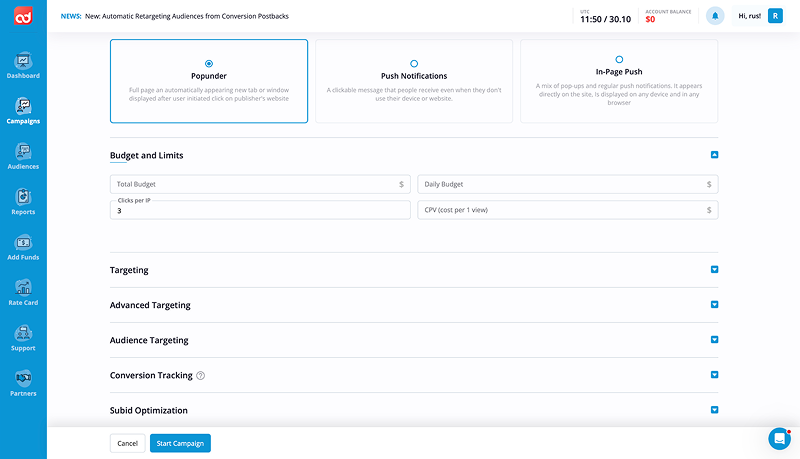
For media buyers, campaign management happens through the ad network's dashboard. It provides all the tools needed to buy traffic, including GEO, device, and other targeting options, ad format selection, bid management, and campaign budget settings.
Multiple campaigns can compete for the same ad placement. That's why most ad networks use automated auctions to allocate impressions. The auction compares advertisers' bids and determines which ad gets shown to the visitor. The entire process takes just a fraction of a second while the page loads.
Ad networks make money from the traffic they sell. Their revenue comes from the difference between what media buyers pay for impressions or clicks and what the network pays publishers.
Best Ad Networks for Affiliate Marketing and Media Buying
Our selection includes ad networks that differ in their available ad formats, traffic volumes, and campaign management tools. For each network, we've covered the main features, from minimum deposits and GEO coverage to optimization tools.
We've also broken down the pros and cons worth considering before launching your campaigns.
AdOperator
AdOperator is a global, award-winning ad network for performance advertisers. It has been operating since 2018, offering high-quality Popunder, Push, and In-Page Push traffic. The network works with over 80,000 affiliates and covers more than 200 countries. Its main verticals include iGaming, Dating, Sweepstakes, Finance, Mobile Apps, and eCommerce.
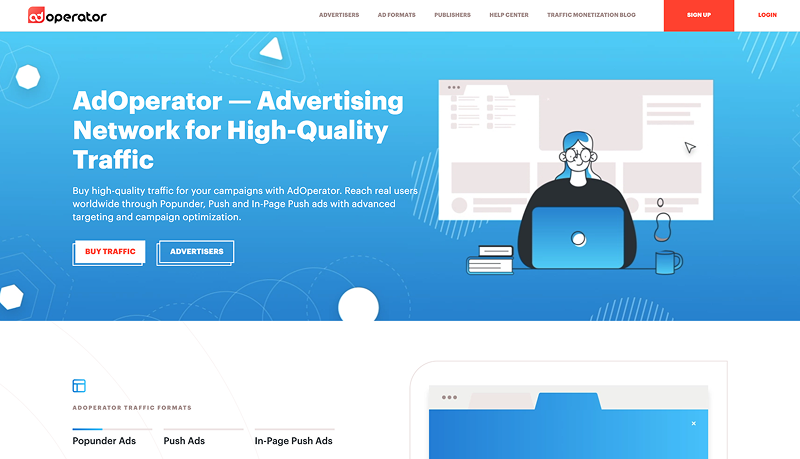
Beyond standard targeting options, AdOperator offers tools for managing individual traffic sources, tracking conversions, and retargeting users. The network also uses an anti-fraud system to filter out bots and fraudulent clicks. Every advertiser gets a dedicated account manager who can help optimize traffic sources, improve campaign performance, and identify opportunities to scale.
- Ad formats: Popunder, Push, In-Page Push.
- GEOs: 200+.
- Minimum deposit: $100.
- Pricing models: CPC, CPM.
- Optimization tools: Blacklists and whitelists, traffic source and SUBID optimization, S2S postback, cross-format retargeting, and targeting by GEO, city, IP address, device, OS, browser, and mobile carrier.
Pros:
- Dedicated account manager regardless of ad spend. With AdOperator, you don't have to reach a certain spending threshold to get help from a specialist. Your personal manager can assist with campaign setup, building blacklists and whitelists, analyzing conversions, and optimizing campaigns as they run.
- Anti-fraud traffic filtering. AdOperator uses an anti-fraud system to detect bots and fraudulent clicks, helping advertisers avoid wasting their budgets on low-quality traffic.
- Cross-format retargeting. You can use a tracking pixel to build an audience of landing page visitors and serve them ads again. The platform also automatically collects audiences based on conversion events received via S2S postback, allowing advertisers to launch separate retargeting campaigns for these users. You don't have to stick to the same format, either. For example, you can initially drive traffic through popunders and then retarget those visitors with In-Page Push ads.
- Fast moderation, including weekends. Campaigns are reviewed daily, so there's no need to wait until Monday for approval. This applies to both new ads and campaign changes that require another review.
- No extra fees or inactivity charges. AdOperator covers payment processing fees. If you pause your campaigns, your account won't be blocked for inactivity, and your remaining balance will stay intact.
- Bonuses for high-spending advertisers. Advertisers with larger budgets can qualify for additional bonuses and a premium account. Custom terms can be discussed directly with a personal manager.
Cons:
- Limited selection of ad formats. AdOperator focuses on Push, In-Page Push, and Popunder traffic. If you need banner ads, traditional native ads, or video advertising, you'll have to look at other networks.
- $100 minimum deposit. You need to add at least $100 to your account to get started. However, the minimum daily campaign budget is just $20, so you don't have to spend the entire deposit on a single campaign.
- Refunds must be requested through support. To withdraw unused funds, you need to contact the support team. Refunds are processed within 30 days, but promotional bonuses and credits received through promo codes are non-refundable.
AsoAds
AsoAds has been operating since 2023 and offers six ad formats, ranging from popunders and push ads to banners, native ads, and video. According to the network, it delivers over 9 billion impressions per day across 200+ GEOs, with traffic available from Tier-1, Tier-2, Tier-3, and CIS countries.
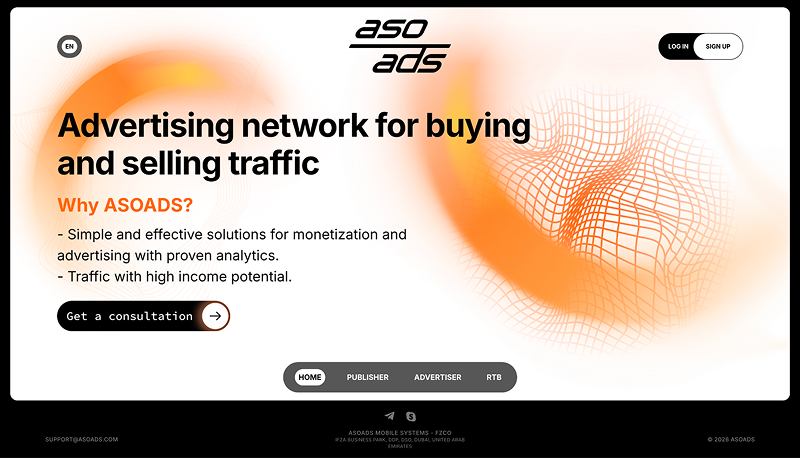
For campaign optimization, AsoAds provides blacklists and whitelists, automated rules, and detailed source-level statistics. There's also a traffic calculator that lets you check available traffic volumes and average bids for specific GEOs and ad formats before launching a campaign.
- Ad formats: Popunder, Push, In-Page Push, Banner, Native, Video.
- GEOs: 200+.
- Minimum deposit: $50.
- Pricing models: CPC, CPM.
- Optimization tools: Blacklists and whitelists by Source ID, IP, and ISP, automated rules for blocking traffic sources, Smart Lists with automatic entry removal, S2S postback, and targeting by GEO, OS, device, connection type, and other parameters.
Pros:
- Traffic volume and bid calculator. Before creating a campaign, you can check available traffic volumes by country and ad format. The calculator also shows average CPC and CPM rates, giving you a rough idea of how much traffic will cost in your target GEO before you launch.
- Anti-fraud protection against bots. AsoAds uses its own anti-fraud system to monitor traffic and filter out bots. This helps reduce wasted spend on fraudulent impressions and clicks.
- Ready-made blacklists and whitelists from account managers. You can request source lists tailored to a specific vertical from the support team. These lists are built using the network's internal performance data, so you don't have to build everything from scratch when running your first tests.
- Automated source optimization. Campaign settings include automated rules that can block traffic sources when they fail to meet your performance targets. You can also create Smart Lists that automatically remove entries after a specified number of days.
- Ready-made tracker integrations. AsoAds provides S2S postback templates for Keitaro, Binom, Voluum, PeerClick, and BeMob. Instead of building the entire postback URL manually, you can simply select your tracker and configure conversion tracking.
Cons:
- Moderation only starts after you make a deposit. Your creatives won't be submitted for review until you've added funds to your account. This means you can't get your ads approved first and deposit money afterward.
- Ad formats can't be changed after campaign creation. If you decide to switch from push ads to popunders or native ads, you'll need to create a new campaign. There's no option to change the ad format of an existing campaign.
- Editing creatives triggers another moderation review. Any changes to ad copy, URLs, or other creative elements will send the ad back for approval. Keep this in mind if you plan to test new creatives frequently.
RichAds
RichAds has been operating since 2018. The network initially focused on push traffic but gradually expanded to include popunders, native ads, banners, and other formats. Today, it offers eight ad formats, including video ads and advertising in Telegram Mini Apps.
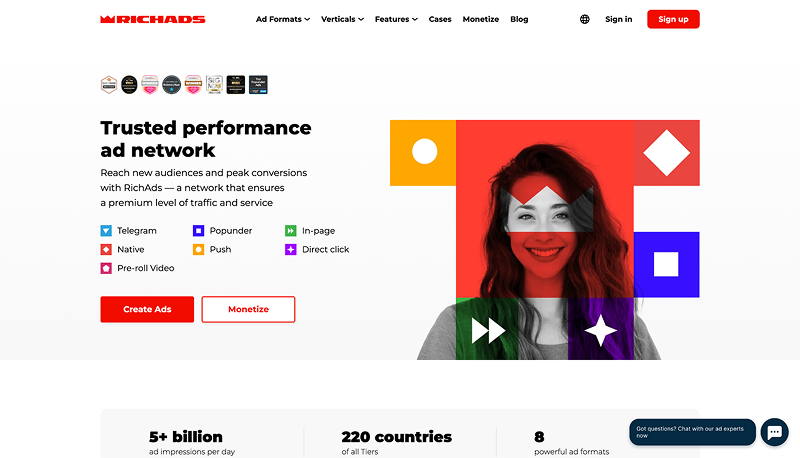
RichAds delivers over 5 billion impressions daily across 220+ GEOs. Alongside manual optimization, the network offers several automated modes that help media buyers select traffic sources, adjust bids, and optimize campaigns toward a target CPA.
- Ad formats: Popunder, Web Push, In-Page Push, Native Ads, Banners, Direct Click, Pre-roll Video, Telegram Mini Apps.
- GEOs: 220+.
- Minimum deposit: $150.
- Pricing models: CPC, CPM.
- Optimization tools: Performance Mode, Target CPA, Automated Rules, Micro Bidding, Optimizer, blacklists and whitelists, and traffic source segmentation by quality and performance.
Pros:
- Automated traffic source selection. Performance Mode is available for push and popunder campaigns. In this mode, the system automatically selects sources based on your targeting settings and regularly updates whitelists. New placements are added as more performance data becomes available.
- Traffic divided into four groups. All traffic sources are classified into Premium, Standard, Remnant, and New categories based on their performance in previous campaigns.
- Flexible bid management. Micro Bidding lets you set individual bids for different traffic sources, devices, operating systems, and other parameters within a single campaign. With Optimizer, you can make these adjustments directly from the statistics dashboard. You can also add sources to blacklists and whitelists without switching between different sections of your account.
- Automated conversion-based optimization. RichAds offers Target CPA, a mode that adjusts bids based on your target cost per conversion. You can also set up Automated Rules to block placements based on ad spend, conversion volume, and other performance metrics. To use these tools, you'll need to connect a tracker.
Cons:
- Dedicated account manager available from $500. The $150 minimum deposit is enough to launch campaigns on your own. However, if you want help with campaign setup, ready-made whitelists, and dedicated account management, you'll need to deposit at least $500.
- Not all optimization modes are available from the start. New advertisers start with Performance Mode. To switch to manual optimization for push campaigns, you'll need to unlock the corresponding mode. Target CPA also requires conversion tracking to be set up before you can use it.
- One GEO per campaign. RichAds doesn't allow advertisers to target multiple countries within a single campaign. You'll need to create a separate campaign for each GEO. However, the Multigeo feature lets you create up to 20 campaign copies with identical settings for different countries at once.
MyBid
MyBid has been operating since 2020 and offers six ad formats: Push, Popunder, In-Page Push, Banners, Native Ads, and Video. Traffic from Telegram Mini Apps is also available. The network works directly with over 17,000 websites and publishers, delivering more than 6 billion impressions daily across 200+ GEOs.
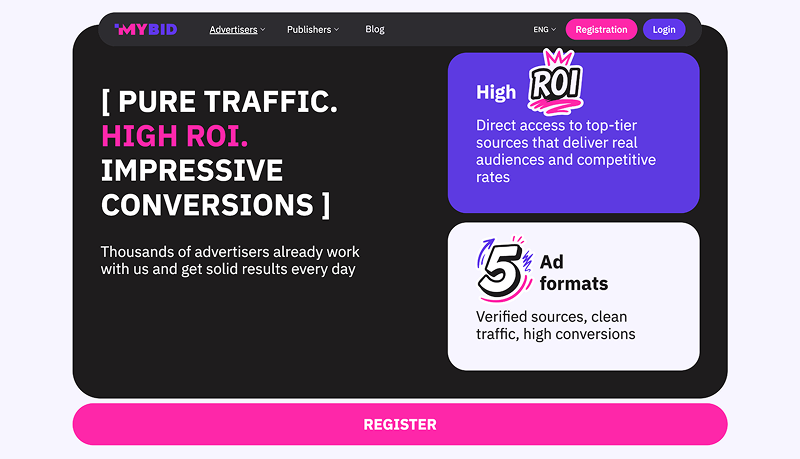
MyBid has its own anti-fraud system to filter out bots, detailed source-level statistics, and automated optimization tools. Advertisers can either manage campaigns themselves or use the Fully Managed service, where the network's team handles campaign setup and ongoing optimization.
- Ad formats: Push, Popunder, In-Page Push, Banner, Native, Video, Telegram Mini Apps Ads.
- GEOs: 200+.
- Minimum deposit: $100 for Self-Service, from $500 for Fully Managed.
- Pricing models: CPC, CPM.
- Optimization tools: SmartCPC, SmartCPM, CPA Goal, automated Optimizer, blacklists and whitelists, individual source-level bids, S2S postback, and real-time statistics.
Pros:
- Direct publisher partnerships and in-house anti-fraud protection. MyBid works directly with website owners rather than reselling traffic from other ad networks. It also uses its own anti-fraud system to filter out bots and invalid clicks before users even reach your landing page.
- Automated blocking of underperforming sources. Optimizer lets you set rules that automatically add underperforming traffic sources to your blacklist. The system checks campaign statistics every hour, and you can configure up to four rules within a single Optimizer.
- Automated CPA optimization. In CPA Goal mode, the algorithms analyze conversions and shift traffic toward sources that meet your target cost per action. You still pay for clicks, though, and you'll need to set up conversion tracking for the algorithm to work.
- Fully Managed campaign management. With a deposit of $500 or more, you can hand over campaign setup and optimization to the MyBid team. An account manager can help with targeting, preparing creatives, selecting whitelists, and adjusting bids. This means you won't have to monitor every traffic source yourself.
- Advertising in Telegram Mini Apps. Beyond regular web traffic, MyBid lets you run banner, In-Page Push, and video ads inside Telegram Mini Apps. Full-screen ads and Rewarded Video are also available for this traffic source.
Cons:
- Fully Managed requires a $500 deposit. The $100 minimum deposit applies to Self-Service campaigns. If you want an account manager to handle campaign launches, source selection, and ongoing optimization, you'll need a larger deposit.
- Optimizer can't run alongside CPA Goal. When you enable automated optimization toward a target CPA, the option to set your own source-blocking rules becomes unavailable. This means you can't use both tools within the same campaign.
- Refund fee on unused funds. Under MyBid's terms, refunds are subject to a 10% fee, with a minimum charge of $25. You can only request a refund if your remaining balance exceeds $50, and the request must be submitted within six months of your last deposit.
AdsCompass
AdsCompass has been operating since 2013 and offers traffic across more than 200 GEOs. The network supports eight ad formats, including push ads, popunders, native ads, banners, video ads, and placements in Telegram Mini Apps.
AdsCompass lets media buyers set individual bids for traffic sources, build blacklists and whitelists, and automate the blocking of underperforming placements. The network also uses its own anti-fraud system to filter out bots. Before launching a campaign, advertisers can check available traffic volumes and average bids for their target GEOs.
- Ad formats: Popunder, Push, In-Page Push, Native, Banner, Video Pre-roll, Telegram Rewarded Post, Telegram Rewarded Video.
- GEOs: 200+.
- Minimum deposit: $50.
- Pricing models: CPC, CPM.
- Optimization tools: CPA Goal, Auto Rules, Source ID Bidding, blacklists and whitelists, retargeting, targeting by GEO, device, OS, browser, IP address, and ISP, and frequency capping.
Pros:
- Automated blocking of underperforming sources. AdsCompass offers Auto Rules, which let you set conditions for automatically blocking traffic sources. Rules can be based on ad spend, clicks, impressions, and other performance metrics.
- Conversion-based optimization. CPA Goal analyzes source performance against your specified criteria and groups qualifying sources into a separate list. You can use conversion volume, ROI, CR, EPC, and other metrics to determine which sources make the cut.
- Individual bids for traffic sources. Source ID Bidding lets you adjust bids for specific placements without creating new campaigns. If a source delivers leads at your target CPA, you can increase its bid to get more traffic. Bids for other sources will remain unchanged.
- Fast ad moderation. Ads are usually reviewed within 10–15 minutes, although approval may take longer in the evenings and on weekends. Both your creatives and landing pages must comply with the network's advertising policies.
- Cashback on ad spend. AdsCompass has a cashback program that returns a percentage of your advertising spend. The starting cashback rate is 1%, but it can increase as your spending grows. Higher rates can be negotiated with an account manager.
Cons:
- Separate requirements for Telegram Mini Apps advertising. Rewarded Post and Rewarded Video formats are available, but you'll need to discuss the specifics of launching these campaigns with an account manager. It's worth checking the requirements and available traffic volumes before preparing your campaigns.
- Refund fees on unused funds. Under AdsCompass's terms, refunds are subject to a fee of 3% to 10% of the unused balance, with a minimum charge of $10. You must submit a written request within 180 days of making a deposit. Additional operational expenses may also be deducted.
- Traffic calculator requires registration. Detailed traffic volume and bid statistics are available through the advertiser dashboard. Without an account, you'll need to request this information from an account manager.
RollerAds
RollerAds has been operating since 2019 and specializes in Push, In-Page Push, and Popunder traffic. The network also offers Direct Click traffic, including traffic from parked domains. According to RollerAds, it delivers over 7 billion impressions and 10 million clicks daily across 200+ GEOs. The network also works directly with more than 20,000 publishers.
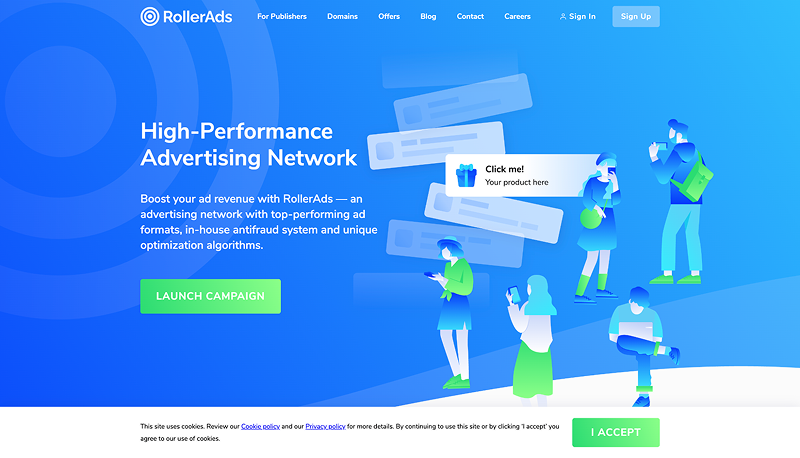
In 2026, RollerAds updated its platform and introduced the ability to work with offers from the CpaRoll CPA network directly through the advertiser dashboard. For campaign optimization, the platform offers automated bidding models, ready-made whitelists, and targeting based on push subscription age.
- Ad formats: Web Push, In-Page Push, Popunder (OnClick), Direct Click.
- GEOs: 200+.
- Minimum deposit: $50.
- Pricing models: CPC, CPM.
- Optimization tools: SmartCPC, SmartCPM, CPA Goal, CPA Optimization, blacklists and whitelists, Traffic Presets, individual source-level bids, S2S postback, and targeting by GEO, device, mobile carrier, browser, and subscription age.
Pros:
- Automated bid optimization. SmartCPC and SmartCPM algorithms help adjust bids based on traffic costs across individual placements. There's also a tool for optimizing campaigns toward a target CPA.
- Over 100 ready-made whitelists. RollerAds offers curated source lists for different GEOs, devices, and verticals. You can use these lists when launching campaigns and refine them based on your own test results. If you can't find a suitable whitelist, you can ask an account manager for recommendations.
- Push subscription age targeting. For Push campaigns, you can target users based on how recently they subscribed to push notifications. You can also filter traffic sources by quality tier.
- Ready-made creative library. RollerAds provides a collection of ad creatives for different verticals and GEOs. You can use it to research angles and develop your own creatives.
- CPA offers directly in the advertiser dashboard. Following its integration with the CpaRoll CPA network, RollerAds now provides access to over 300 offers across various verticals, including exclusive offers.
Cons:
- No traditional native ads, banners, or video advertising. RollerAds focuses on push traffic, popunders, and Direct Click. If you need other ad formats, you'll have to use an additional ad network.
- Restrictions on verticals and creatives. RollerAds doesn't allow adult advertising and has restrictions on certain product categories and aggressive advertising angles. Before launching campaigns in gray-hat verticals, it's worth reviewing the network's moderation policies carefully.
- Card and PayPal payments require verification. When depositing through Stripe, you'll need to provide the cardholder's identification documents. PayPal payments also require identity and payment details verification. You can't use PayPal for your first deposit, so you'll need to fund your account through another payment method initially.
- CPA optimization doesn't mean paying for conversions. CPA Goal helps keep your cost per action within your target range, but you're still charged for clicks or impressions. You'll also need to configure S2S postback and send conversion data to the network for the algorithm to work.
Adsterra
Adsterra has been operating since 2013 and delivers over 36 billion impressions per month across 248 GEOs. The network works directly with more than 45,000 publishers and offers several ad formats, including popunders, In-Page Push, interstitials, native banners, and its proprietary Social Bar format.
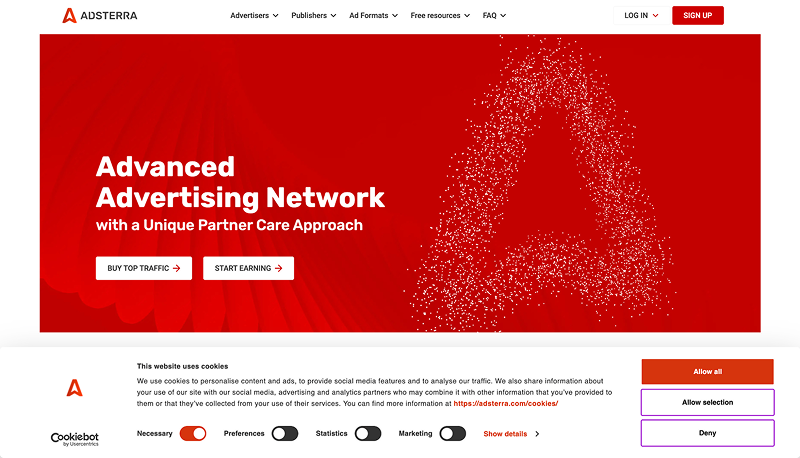
One of Adsterra's distinguishing features is the ability to run campaigns on a CPA model, rather than paying only for clicks or impressions. The network also uses a three-tier anti-fraud system to filter out bots and fraudulent traffic.
- Ad formats: Popunder, Social Bar, In-Page Push, Interstitial, Native Banner, Banner.
- GEOs: 248.
- Minimum deposit: $100.
- Pricing models: CPC, CPM, CPA (including CPL and CPI).
- Optimization tools: Smart CPM, CPA Goal, Custom Bid, blacklists and whitelists, traffic calculator, S2S postback, API, and targeting by GEO, device, OS, browser, mobile carrier, IP address, and other parameters.
Pros:
- Pay for conversions. Adsterra lets you run CPA campaigns where you're charged for completed actions rather than clicks or impressions. This pricing model is available for Popunder, Social Bar, In-Page Push, and Interstitial campaigns.
- Proprietary Social Bar format. Instead of traditional subscription-based push ads, Adsterra offers ad widgets that can look like notifications, messenger chats, or small interactive pop-ups. Users don't need to subscribe to browser notifications to see these ads.
- Automated bid and source optimization. For CPM campaigns, you can enable Smart CPM, which automatically adjusts your auction bids without exceeding your maximum bid. There's also a separate CPA Goal tool for conversion-based optimization.
- Individual bids for traffic sources. If some sources deliver conversions at your target CPA while others cost more, you don't necessarily have to blacklist the expensive ones. Custom Bid lets you increase or decrease bids for individual placements without creating separate campaigns.
- Ready-made tracker integrations. Adsterra supports S2S postback and integrations with Keitaro, Binom, Voluum, BeMob, RedTrack, and other popular trackers. There's also an API for retrieving statistics and managing campaigns.
Cons:
- No traditional Web Push ads. Adsterra doesn't offer push notifications delivered to users who have subscribed through their browsers. You can use In-Page Push and Social Bar instead, but these are different ad formats.
- Additional deposit costs. The $100 minimum deposit applies to card payments, PayPal, and Paxum. For cryptocurrency deposits, the minimum is $200, while bank transfers require at least $1,000. Payment providers may also charge processing fees.
- CPA isn't suitable for every offer. Before switching to CPA pricing, the network first runs a CPM test, so you'll need to allocate a separate budget to test your funnel. For more complex conversion goals, such as FTDs or purchases, Adsterra itself recommends using CPM and optimizing traffic sources based on performance.
To make it easier to compare ad networks and choose the right one for your needs, we've put together a table covering their ad formats, GEO coverage, minimum deposits, pricing models, and main optimization tools.
|
Ad Network |
Ad Formats |
GEOs |
Min. Deposit |
Pricing Models |
Key Optimization Tools |
|
AdOperator |
Popunder, Push, In-Page Push |
200+ |
$100 |
CPC, CPM |
Blacklists and whitelists, S2S postback, cross-format retargeting |
|
AsoAds |
Popunder, Push, In-Page Push, Banner, Native, Video |
200+ |
$50 |
CPC, CPM |
Automated Rules, Smart Lists, traffic calculator |
|
RichAds |
Push, In-Page Push, Popunder, Native, Banner, Direct Click, Video, Telegram Mini Apps |
220+ |
$150 |
CPC, CPM |
Performance Mode, Target CPA, Micro Bidding, Automated Rules |
|
MyBid |
Push, Popunder, In-Page Push, Banner, Native, Video, Telegram Mini Apps |
200+ |
$100 |
CPC, CPM |
CPA Goal, Optimizer, blacklists and whitelists, traffic volume map |
|
AdsCompass |
Popunder, Push, In-Page Push, Native, Banner, Video, Telegram Rewarded Post and Video |
200+ |
$50 |
CPC, CPM |
CPA Goal, Auto Rules, Source ID Bidding, retargeting |
|
RollerAds |
Web Push, In-Page Push, Popunder, Direct Click |
200+ |
$50 |
CPC, CPM |
SmartCPC, SmartCPM, CPA Goal, Traffic Presets |
|
Adsterra |
Popunder, Social Bar, In-Page Push, Interstitial, Native Banner, Banner |
248 |
$100 |
CPC, CPM, CPA |
Smart CPM, CPA Goal, Custom Bid, blacklists and whitelists |
What Ad Formats Do Ad Networks Offer?
Push ads, popunders, teaser ads, native ads, and banners are among the most common formats offered by ad networks. The differences go beyond how the ads look.
With push ads, users click on a notification to visit the landing page, while popunders open the landing page after a user clicks on a website. Naturally, the approach to running campaigns also differs, from preparing creatives to optimizing traffic.
Push Notifications
Push ads are small notifications containing a headline, short text, and an image that appear on a desktop or smartphone screen.
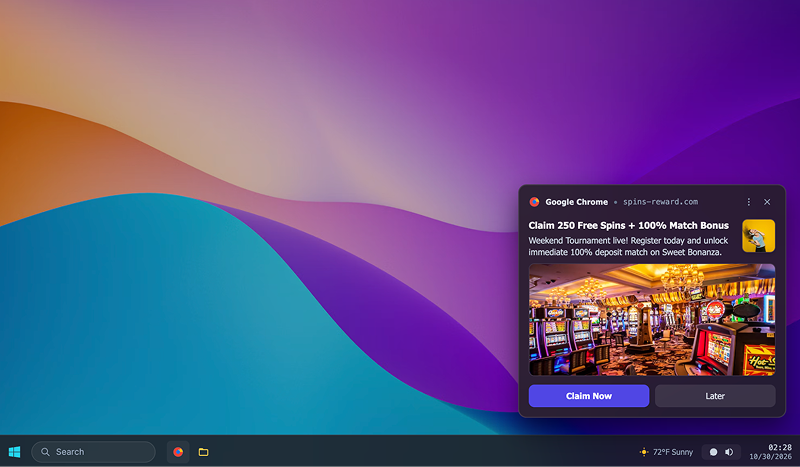
They're delivered to users who have previously subscribed to notifications from a website. These notifications can appear even after the user has closed the site.
In-Page Push
In-Page Push ads look similar to regular push notifications but appear directly on a website. They usually take the form of a small pop-up containing an image, headline, and text.
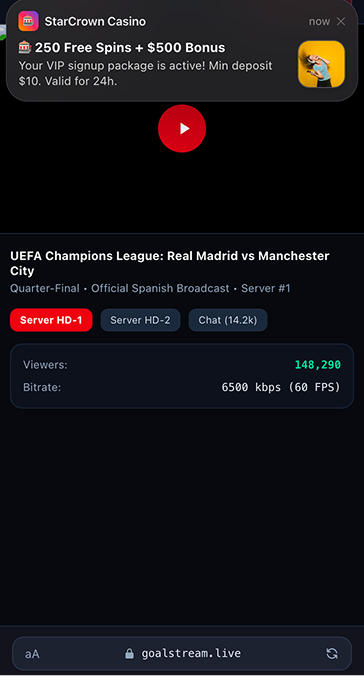
Unlike traditional browser push notifications, In-Page Push ads don't require users to subscribe. This is particularly useful for iOS traffic. On iPhones, traditional Web Push notifications are only available for web apps added to the home screen, while In-Page Push ads appear directly in the browser.
Once users leave the website, they stop receiving these ads. Otherwise, the approach to creating In-Page Push creatives is largely similar to that used for traditional push campaigns.
Popunder (OnClick)
Popunder ads open a landing page or pre-lander in a background tab when a user clicks on a website. The user sees the page when they close the original tab or switch between tabs.
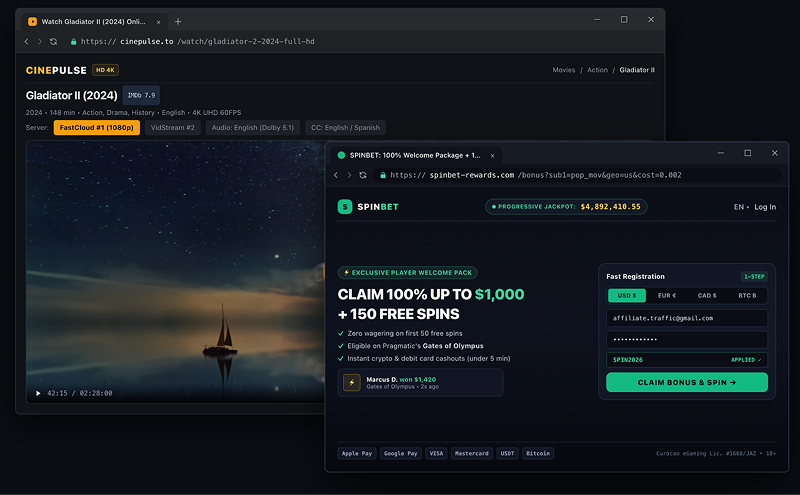
What makes popunders different is that they don't use traditional ad creatives with images and headlines. Users land directly on a landing page or pre-lander, so conversion rates largely depend on how well that page performs.
Teaser Ads
Teaser ads are small ads featuring an image and a headline, displayed in dedicated ad placements on websites.
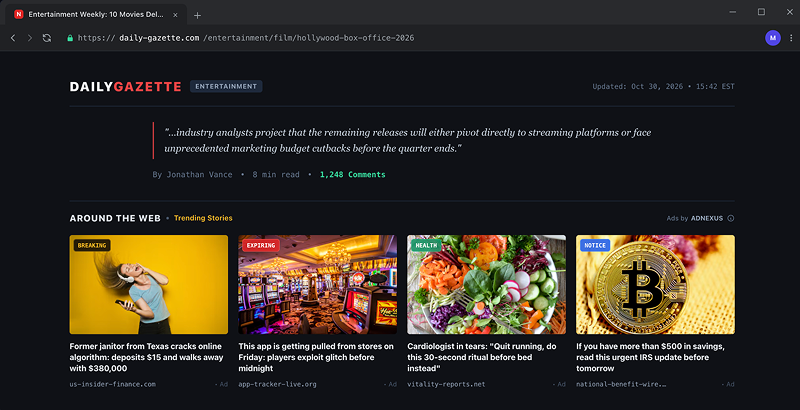
The main characteristic of this format is its aggressive approach to advertising. Creatives typically rely on provocative images, curiosity-driven angles, and attention-grabbing headlines.
Native Ads
Native ads differ from teaser ads primarily in how they're presented. They blend into the design of content websites and look like recommendations for related articles. These ads usually include an image, a headline, and a sponsored content label.
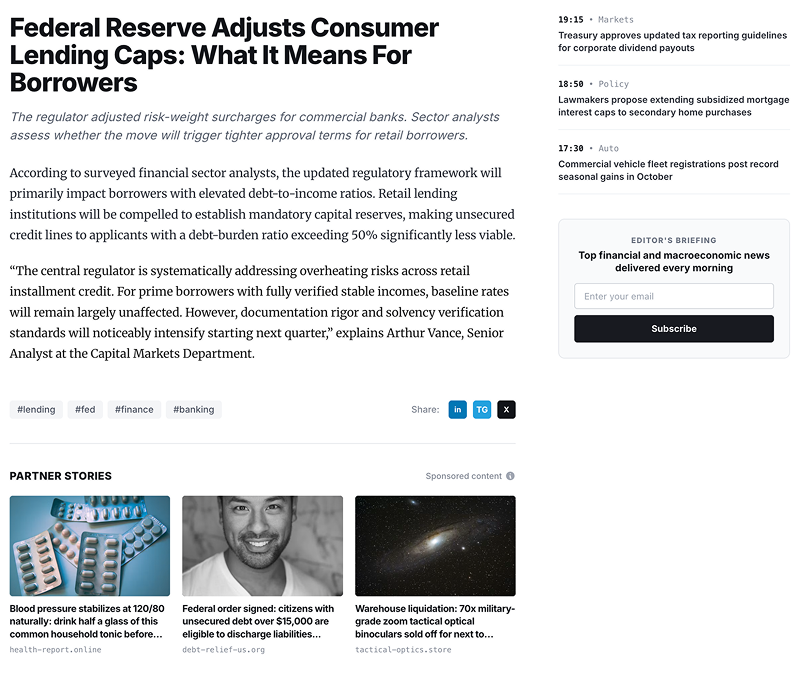
Instead of outright shocking content, native ads typically use more subtle creatives that resemble headlines from regular articles. However, clickbait is still common in native advertising.
Banner Ads
Banner ads are static or animated images displayed in website headers, sidebars, between articles, and in other placements.
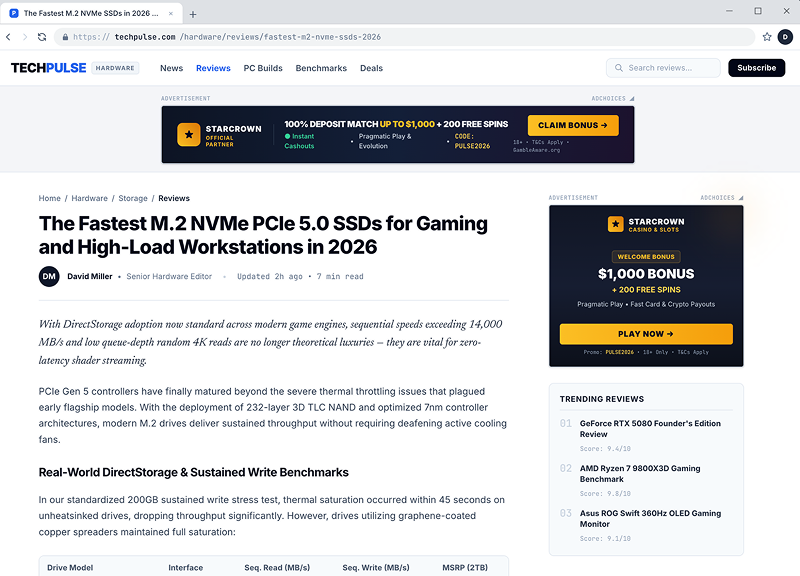
Placement plays a major role in banner advertising. The same creative can deliver very different CTRs depending on where it appears on the page.
If an ad network provides source-level and placement-level statistics, you can block underperforming placements without pausing the entire campaign.
Conclusion
Every ad network has its own strengths. Some offer a wider range of ad formats and larger traffic volumes, others focus on automated optimization, while some give media buyers more control over campaign settings.
That's why your choice should depend on your goals and budget. Check whether the network has traffic for your target GEOs and ad formats, which pricing models it supports, and what optimization tools are available.
We also recommend paying attention to customer support, especially if you haven't worked with the network before. Find out whether you can get ready-made whitelists for your vertical, help with campaign setup, and optimization recommendations. Keep in mind that the level of support may vary depending on your ad spend.
Recent Posts
November 05, 2026
Top 7 Ad Networks for Media Buyers: Ad Formats, Traffic Volume, and Tools
This guide compares seven ad networks for 2026 — AdOperator, AsoAds, RichAds, MyBid, AdsCompass, Rol...
Read moreOctober 06, 2026
Best Ad Spy Tools for Affiliate Marketing in 2026
Ad spy tools let you see what other affiliates are running, which creatives they use, and how long t...
Read moreSeptember 17, 2026
Webcam vs. AI Girlfriend: How Adult Offers Differ in 2026
Webcam has been one of the core verticals in adult affiliate marketing for years. Now, AI Girlfriend...
Read more
Written by
Affbank Team
Hey there! We combined years of experience, a ton of enthusiasm and our hunger for knowledge to give you the best that we can - Affbank. Leave a comment or reach us by email support@affbank.com