




Affiliate Network Details
RollerAds Review: 7B+ Daily Impressions, Built-In Ad Spy, and Ready-Made Traffic Presets
RollerAds has long been known as an ad network with massive push traffic volumes. Over the past few years, however, the platform has expanded significantly and now covers several areas beyond traffic acquisition.
In addition to running ad campaigns, users get access to a built-in CPA network with hundreds of offers, while website and domain owners can monetize their traffic directly through the platform. RollerAds also provides its own tools for campaign automation and optimization.
In this review, we'll take a closer look at what RollerAds has to offer, including its available ad formats, tools for affiliates and publishers, and the key features of working with the platform.
Advantages of RollerAds
RollerAds has been on the market for years, and during that time, the platform has significantly expanded its capabilities. Let's take a closer look at its main advantages.
Multiple solutions in one platform. RollerAds lets users buy traffic, choose offers from its built-in CPA network, and monetize their own websites or domains.
Large traffic volumes. According to RollerAds, the platform works with more than 60,000 advertisers and 20,000 publishers, generating over 7 billion impressions per day.
Built-in CPA network. The catalog features hundreds of offers across different verticals, including exclusive RollerAds offers. Affiliates can either launch traffic to an offer directly through RollerAds or copy the affiliate link and promote it through another traffic source.
Optimization tools. Traffic Presets, CPA Optimization, Smart Bidding, and IAB targeting make campaign optimization easier, help manage bids, and allow advertisers to cut underperforming traffic faster.
Creative tools. Creatives Library works as a built-in ad spy, allowing users to search for creatives by GEO and vertical. For Software & Utilities campaigns, Autocreatives can automatically generate creatives for launch. Importantly, creatives submitted by RollerAds advertisers are not added to the library.
Website and domain monetization. Publishers can connect their websites to RollerAds and monetize their traffic. Domains can also be listed for sale while continuing to generate revenue until a buyer is found.
How to Get Started with RollerAds
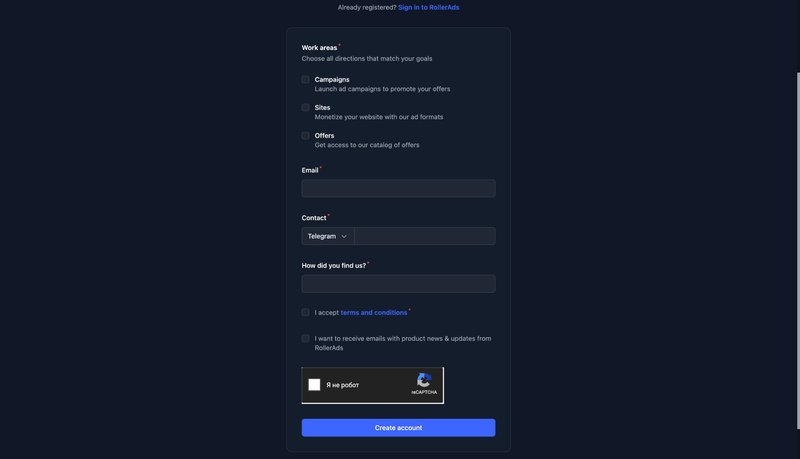
Registration on RollerAds is open and does not require prior approval from a manager. Once you complete the registration form, your account is created automatically, although it may be subject to an additional review before you can start running traffic.
To create an account:
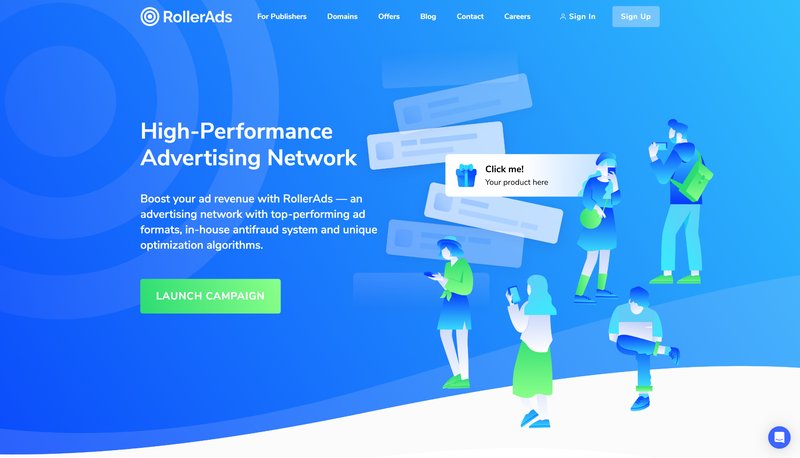
- Go to the official RollerAds website and click "Sign Up."
- Fill out the registration form and select the sections you need: "Campaigns," "Sites," and "Offers."
- If your account is selected for additional review, wait for the moderation process to be completed. Until then, you won't be able to fund your balance or launch campaigns.
Account Overview
The RollerAds account is where users can launch ad campaigns, add websites for monetization, choose offers, and track statistics. This is also where you'll find profile settings, balance top-ups, and payouts. Let's take a closer look at the main sections.
Dashboard
This section provides a quick overview of your ad campaigns and offers. For campaigns, you can see today's impressions, clicks, and conversions, as well as your current balance.
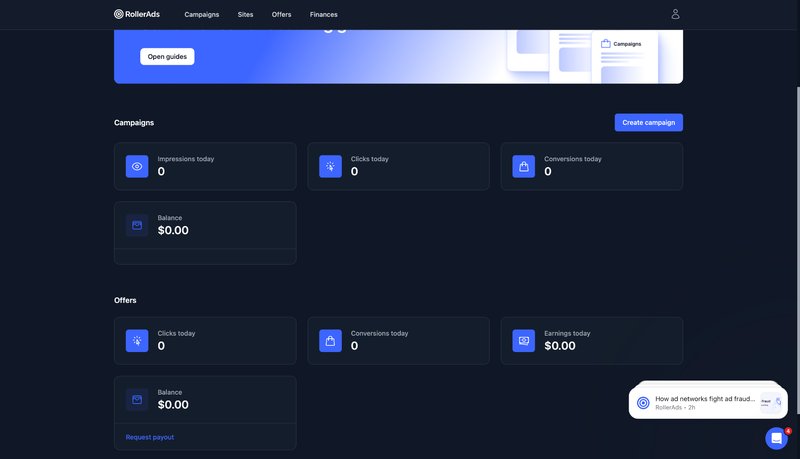
Further down, you can view offer statistics, including clicks, conversions, earnings for the day, and your balance. You can also request a payout here.
Campaigns
This is where you can create and configure ad campaigns. To launch a new campaign, click "Create campaign," choose an ad format and bidding model, set up targeting, add creatives, and specify your budget.
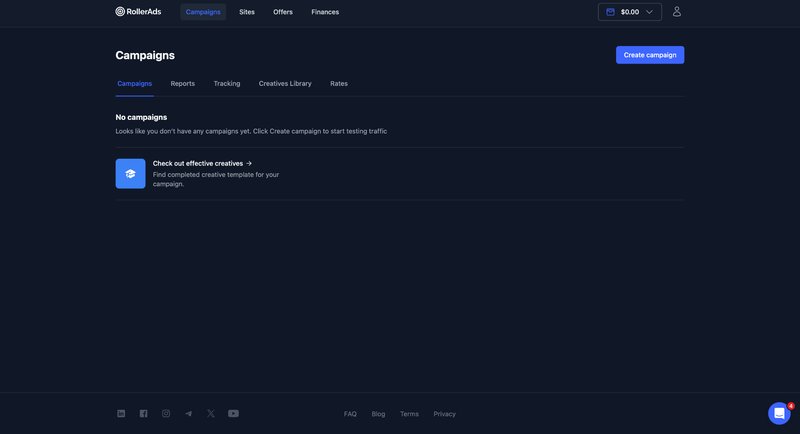
RollerAds supports Push, OnClick, and Direct Click. Available bidding models vary by format and include:
- CPC;
- CPM;
- Smart CPC;
- Smart CPM;
- CPA Goal.
Targeting options include:
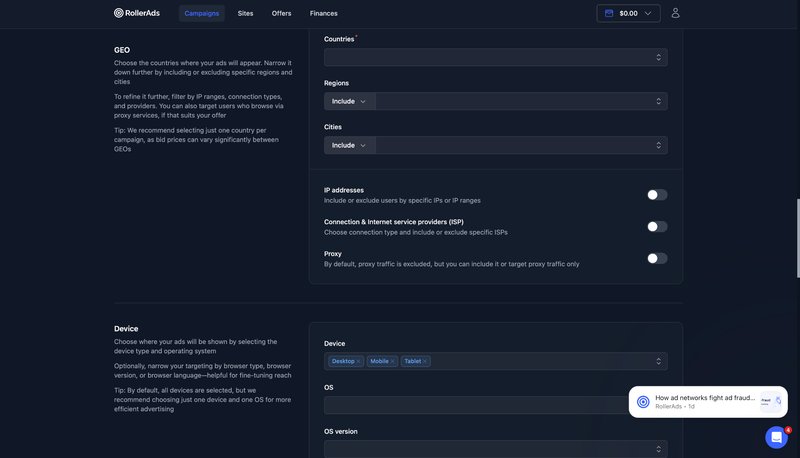
- GEO down to the region and city level;
- device, OS, browser, and browser version;
- carrier and connection type;
- days and times when ads are shown;
- subscription age;
- IAB categories for Direct Click;
- specific IPs, feeds, and other parameters.
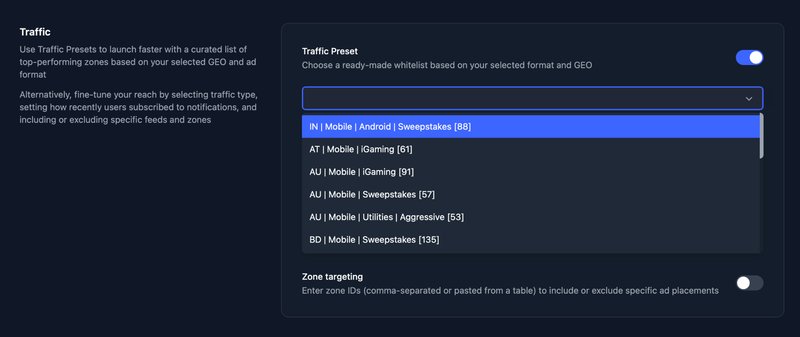
When launching a campaign, you can also use "Traffic Presets." These are ready-made whitelists for different verticals and GEOs, compiled and tested by the RollerAds media buying team.
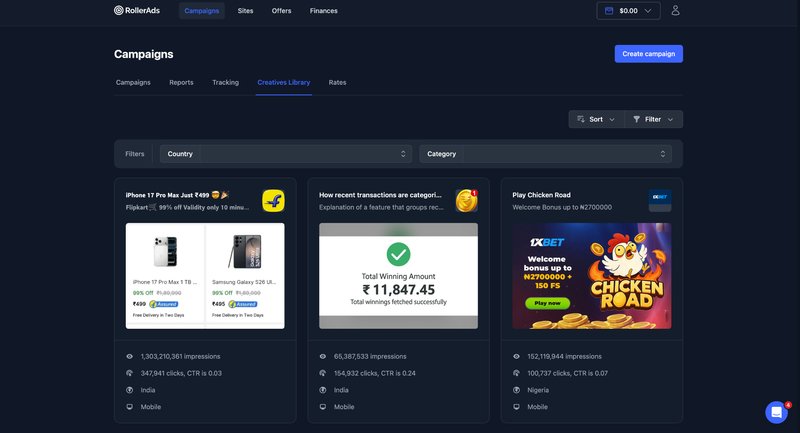
You can upload your own creatives or find suitable ones using the built-in "Creatives Library" ad spy. For Software & Utilities campaigns, "Autocreatives" can also generate creatives automatically.
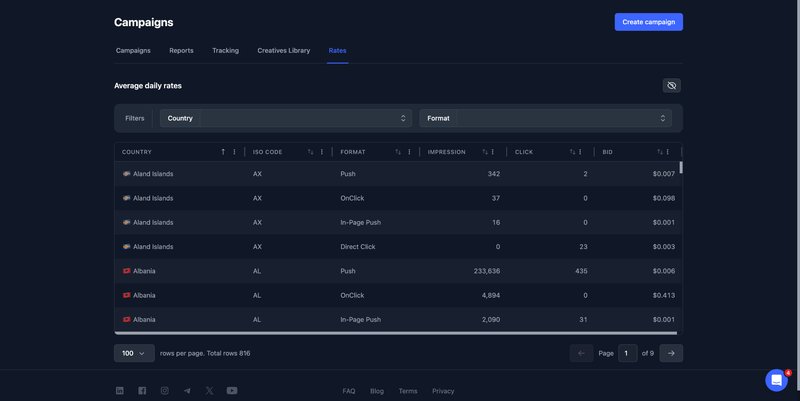
This section also includes the "Rates" tab, where you can check current rates by ad format and GEO before launching a campaign.
Sites
This section is designed for publishers and owners of websites, landing pages, and domains. Here, you can add your properties, configure monetization, and view detailed traffic statistics.
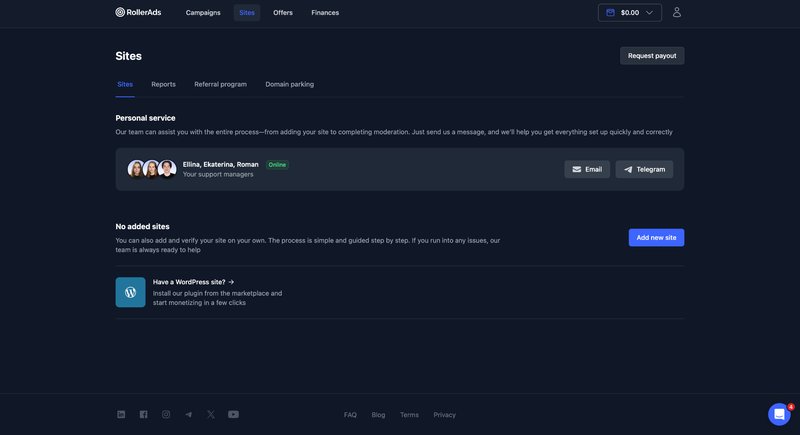
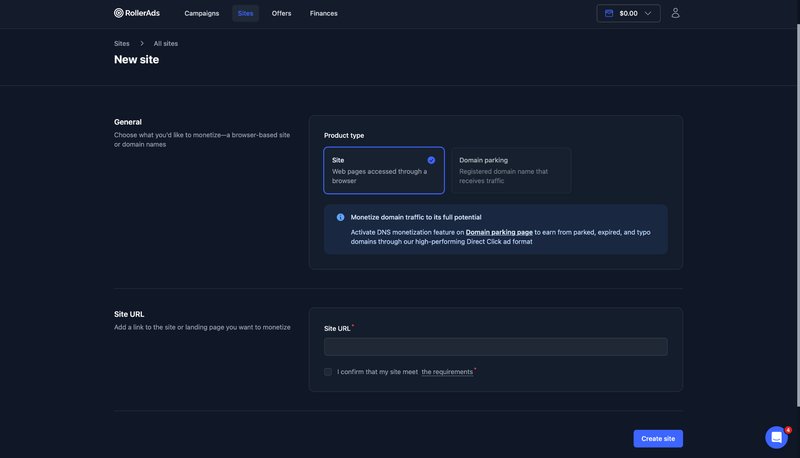
To add a website, click "Add new site," enter its URL, and submit it for review. Once approved, you can create placements and choose the appropriate monetization settings.
The "Domain parking" tab lets you add domains and set up DNS-based monetization. Traffic coming to these domains will be redirected and monetized through RollerAds.
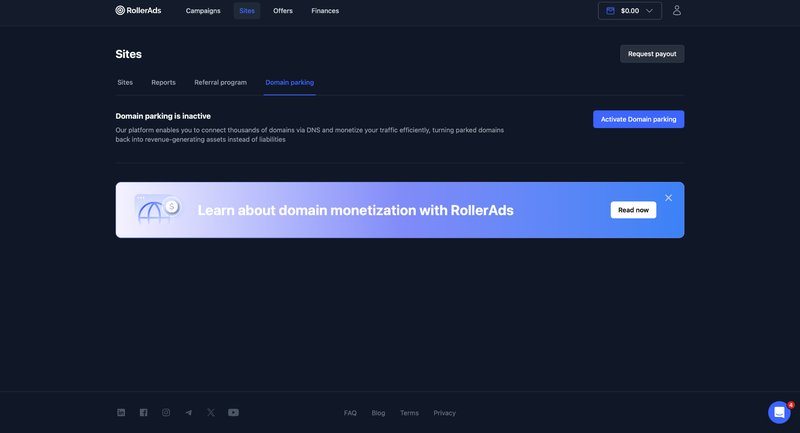
You can also list a domain for sale while continuing to earn revenue from its traffic until it is sold.
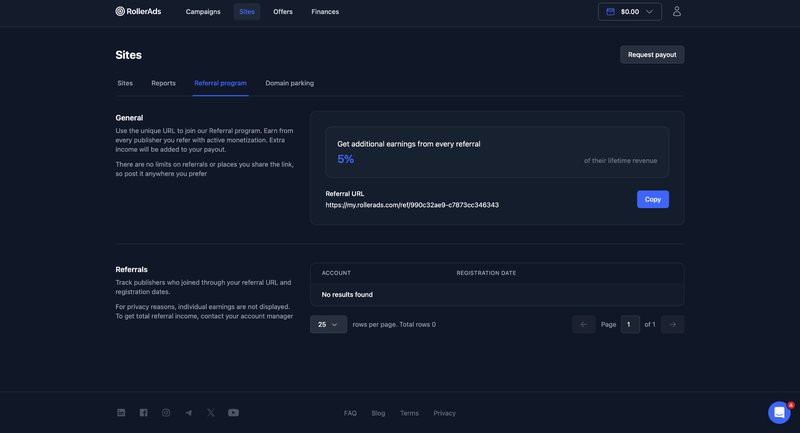
Another tab is "Referral program," where you'll find your personal referral link. RollerAds pays 5% of the earnings generated by publishers who sign up through your link.
Offers
RollerAds has a built-in CPA network with hundreds of offers across different verticals and GEOs. Some of them are exclusive and available directly through the platform.
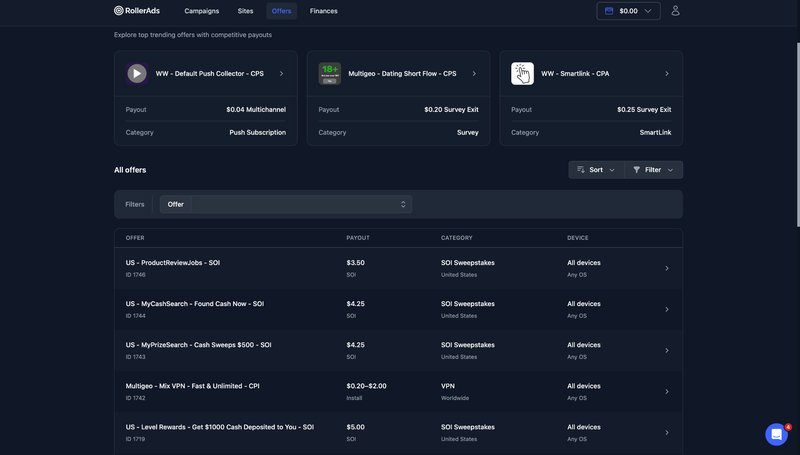
Popular offers are listed under "Featured offers," while the full catalog is available below. Filters and sorting options make it easier to find relevant offers. Before opening an offer, you can check its payout, pricing model, GEO, category, and supported devices.
The offer page provides all the terms you need to consider before launching traffic, including allowed traffic sources, restrictions, and payouts.
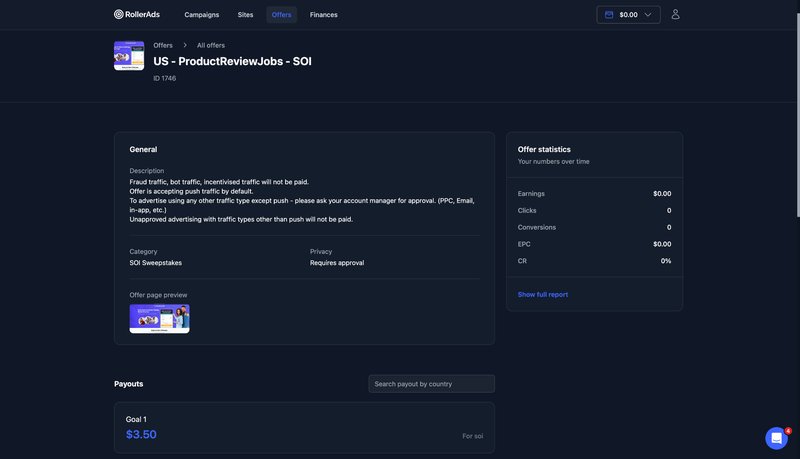
If a particular traffic source requires approval, this is also specified in the terms. For example, in the offer shown in the screenshot, Push traffic is allowed by default, while PPC, Email, and In-App traffic must be approved by a manager first.
Performance can be tracked by clicks, conversions, EPC, CR, and earnings. More detailed statistics are available under "Reports" and "Click reports," while S2S postback tracking can be configured in the "Postbacks" tab.
Finances
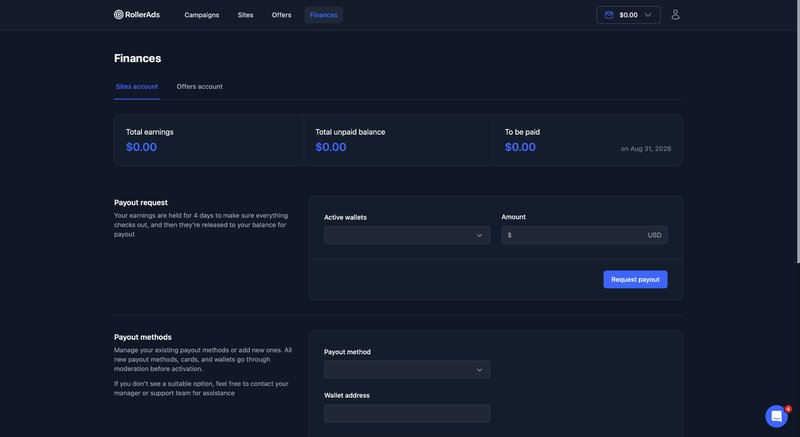
This section is used to request payouts and add payment details. You can also check the amount currently available for withdrawal and see information about your next payout.
How to Withdraw Money from RollerAds
Before funds can be withdrawn, they are subject to a four-day hold. Once the hold period ends, the money becomes available for payout.
To withdraw your earnings, first add a payment method and enter the required details. Cards and wallets must be reviewed and approved. Once approved, select your payment method, enter the amount, and click "Request payout."
Conclusion
Over the years, RollerAds has expanded significantly and now combines an ad network, its own CPA network, and monetization tools for publishers. Affiliates get access to hundreds of offers, large traffic volumes, and detailed campaign settings.
Some of the more notable features include ready-made "Traffic Presets" and the built-in "Creatives Library" ad spy. Publishers can monetize websites, landing pages, and domains, as well as earn additional revenue through the referral program.
Kirill
Ekaterina
- CL
- IN
- KR
- MY
- KZ
- PL
- TR
- PE
- UZ
- CI
- KE
- NG
Reviews (15)
Payouts are always on time, the interface is user-friendly, and they’ve got plenty of offers for all GEOs. Never had issues with moderation, and good traffic gets approved without any issues. Highly recommend if you value fast, reliable payments.
Answer: 0
1 year ago
I'm really impressed with this affiliate program! My income went up in the first months of working with this program, so I started testing more different offers and geos, since my budget allowed it. The support team is always in touch, which is super helpful. Thanks to the team for such a great program!
Answer: 0
1 year ago
The FB traffic here shows some pretty good results. Everything is clear and transparent, and the terms are fair and reasonable. If you're running good volumes, you can count on a rate increase.
Answer: 0
2 years ago
I'd definitely recommend this affiliate program—it's super reliable. I've been planning to write a review for a while and give it a high rating. I can say with confidence that these guys do a great job. And the terms are really great for webmasters.
Answer: 0
2 years ago
Overall, the impression is positive. With this affiliate program, you can earn enough to meet all your needs. It offers top-notch products that consistently generate leads and perform well. Plus, the manager is always there to help. I usually reach out to him with questions or issues, and he responds pretty quickly.
Answer: 0
2 years ago
That was so great full
Answer: 0
3 years ago
Thankfull application
Answer: 0
3 years ago
Great ????
Answer: 0
3 years ago
I think it is excellent and it attracts attention, the colors of the logo should be changed a bit so that it attracts more attention
Answer: 0
3 years ago
Always use this and you won't regret
Answer: 0
3 years ago
Amazing
Answer: 0
3 years ago
Great?
Answer: 0
3 years ago
Nice app
Answer: 0
3 years ago
It is very good ap
Answer: 0
3 years ago
Nice ?
Answer: 0
3 years ago